Boardview software for repair technicians
Find the fault faster.
THOR Viewer opens your boardview files, finds any part or net in one keystroke, shows the matching page of the schematic and walks you through the measurements that matter.
Free version with no time limit · 14-day Pro trial · Windows, macOS and Android
Built at the repair bench
One keystroke to any part
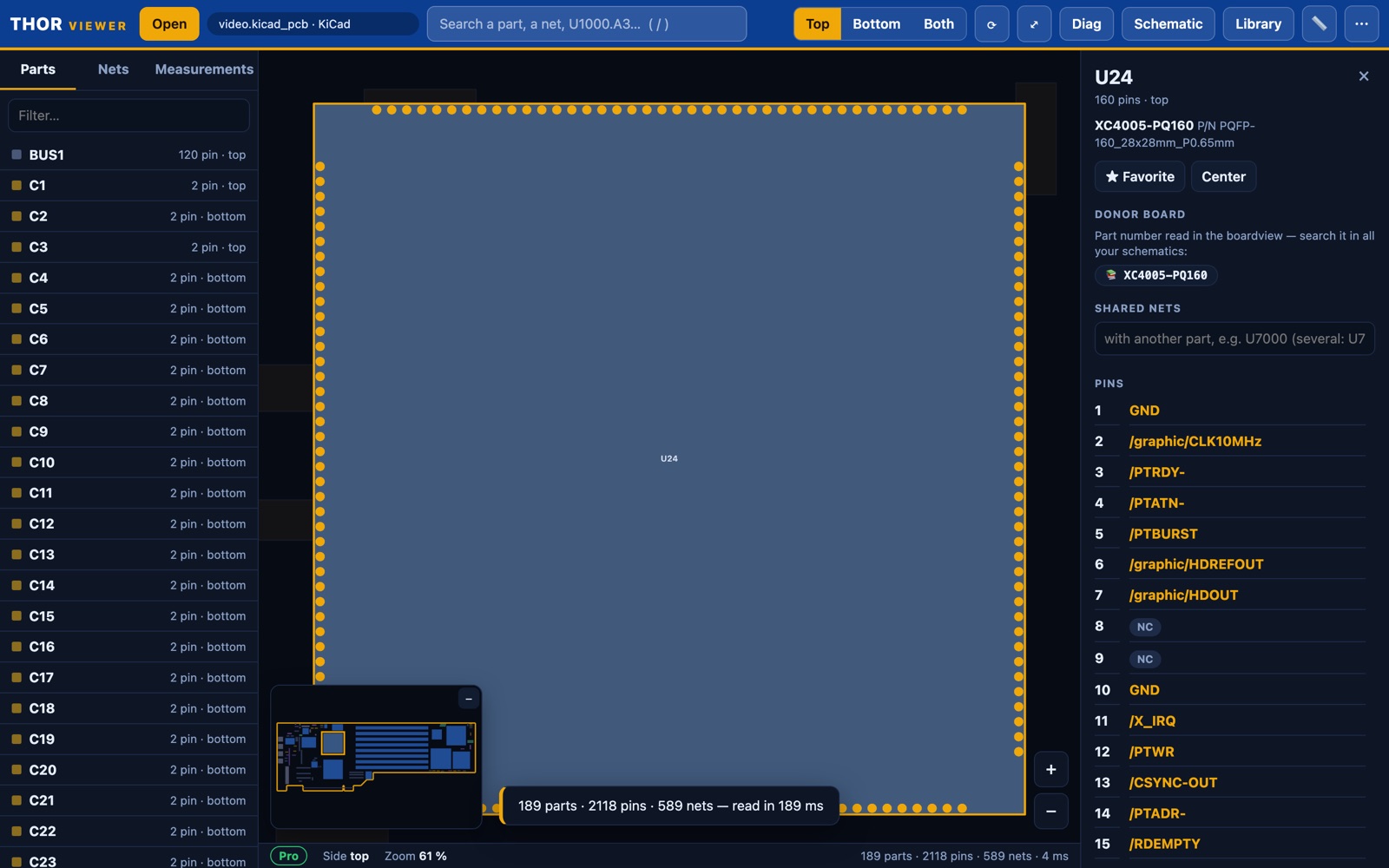
Search by reference, net or pin (U1000.A3). The part is centred, its pins and nets are listed, and every pin of a net lights up across the board.
Schematic linked both ways
Attach the PDF schematic once. Click a part and the right page opens with the part highlighted; click in the schematic to jump back to the board. (Pro)
Schematic library & donor boards
THOR Viewer indexes every schematic on your computer and tells you which other boards use the same part number, so you know where to harvest it. (Pro)
Guided troubleshooting
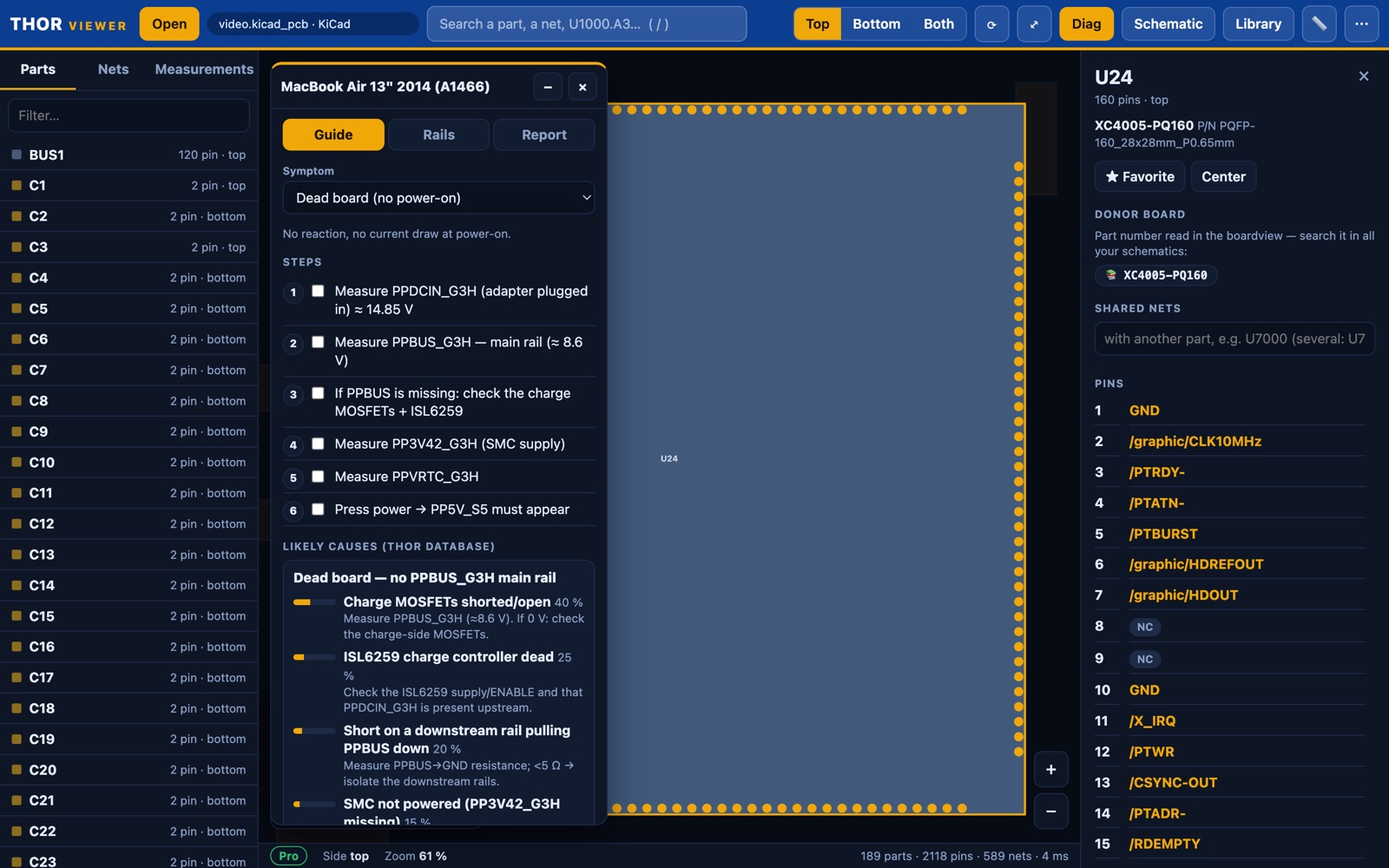
Pick a symptom: measurement steps, reference values and the most likely causes from the THOR fault database, in your language. (Pro)
Follow the rail
Trace a power rail through inductors, fuses, jumpers and low-value resistors, one to three levels deep, each net in its own colour.
Workshop tools
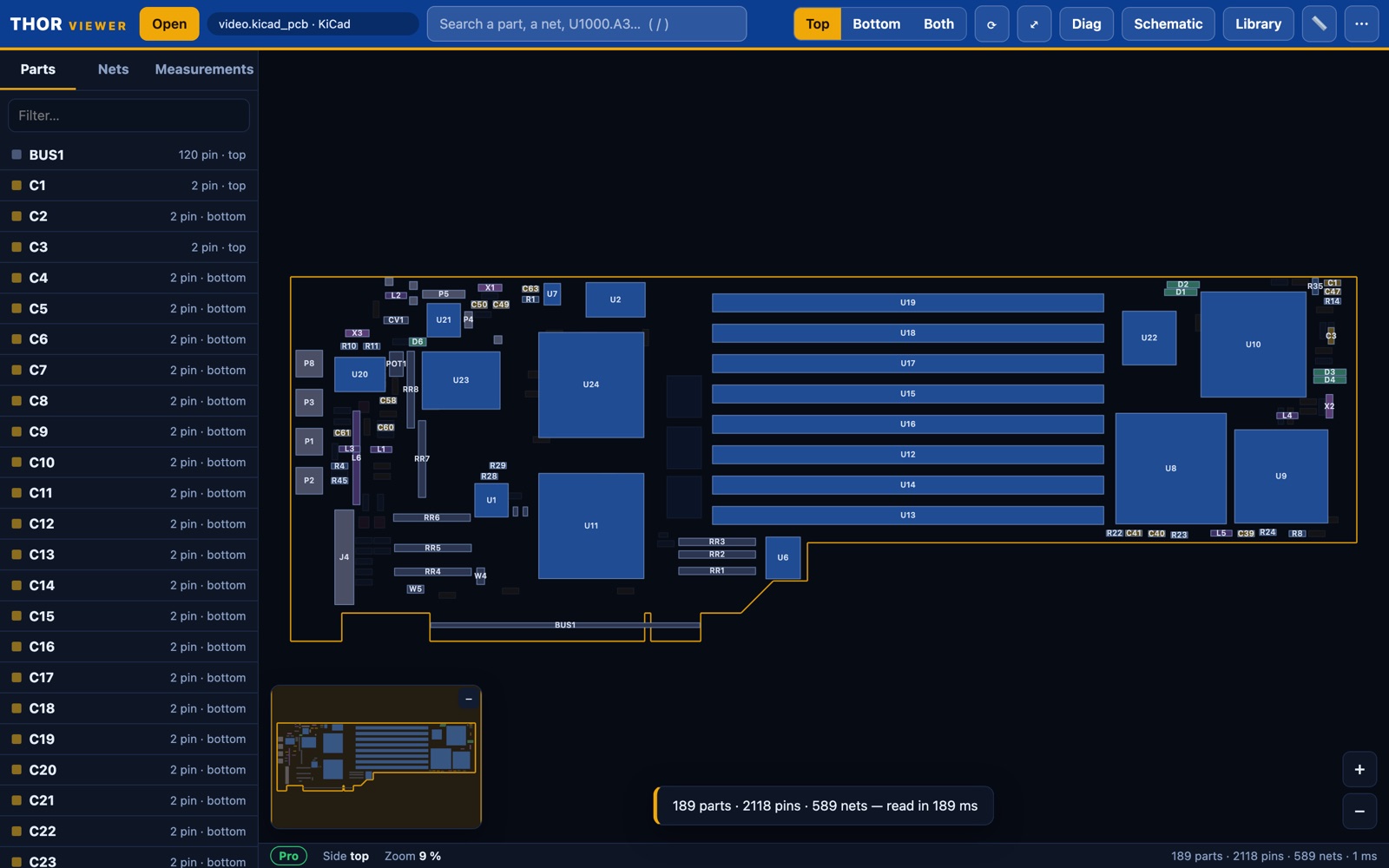
Measurements, pin-1 markers, mirrored view, mini-map, board photo overlay, live multimeter reading, side-by-side views and PNG export.
Formats
Workshop boardviews — Free
- .brd Test_Link, including encrypted files
- .brd2 · .bvr · .bdv BRD2, BVR v1/v3, Honhan
- .cad · .cst GenCAD 1.4 (incl. M-series laptops), CST
- .tvw Tebo / TeboView
- .fz · .pcb · .cae ASUS/Pegatron FZ, XZZ, CAE — with your own key
- .zip · .rar · .7z boardview and PDFs extracted automatically
Design files — Pro
- .kicad_pcb KiCad 5 to 10
- .brd (XML) Eagle
- .epro · .epro2 EasyEDA Pro v1 and v3
- ODB++ .tgz / .zip from KiCad, Altium, Allegro, Mentor…
- .asc · .hyp Mentor PADS ASCII, Hyperlynx
- PcbDoc (ASCII) · Fabmaster Altium ASCII, Allegro extracts
Decryption keys for FZ, XZZ and CAE files are not supplied (as with OpenBoardView): paste your own key once, it stays on your computer. Native binary Allegro files are not supported yet — use a Fabmaster extract or ODB++ export.
Free or Pro
Same installer for both. The Free version has no time limit. Pro unlocks schematics, the donor-board search, guided troubleshooting and design files.
| Free | Pro | |
|---|---|---|
| Workshop boardviews (BRD, BVR, CAD, TVW, FZ/XZZ…) | ✓ | ✓ |
| Search, nets, measurements, pin 1, mirror, mini-map, photo overlay | ✓ | ✓ |
| Follow the rail, multimeter reading, PNG export | ✓ | ✓ |
| Linked PDF schematic, both ways | — | ✓ |
| Schematic library and donor-board search | — | ✓ |
| Guided troubleshooting + THOR fault database (4 languages) | — | ✓ |
| Repair report sheet | — | ✓ |
| Design files: KiCad, Eagle, EasyEDA Pro, ODB++, PADS, Hyperlynx, Altium, Fabmaster | — | ✓ |
A licence is tied to one computer or phone. Copy the device ID from THOR Viewer (⋯ menu › Licence…) before you buy; your licence key is generated for it.
Pro — 1 month
Try Pro on a real job. No automatic renewal.
Pro — 1 year
Everything in Pro and every fault-database update for a year.
Pro — Lifetime
Pro features forever, with 1 year of fault-database updates included.
Lifetime licence: further fault-database updates €39 / $45 per year (25 000 F CFA). Without them, Pro keeps working with the database you have.
Prices exclude any sales tax or VAT, which is added at checkout according to your country. Orders are processed by our online reseller Paddle.com, the Merchant of Record. One device per licence. 14-day money-back guarantee — see the refund policy and terms.
Download
THOR Viewer 0.2.0 — Free and Pro in the same installer. The Pro trial starts the first time you use a Pro feature.
macOS: the app is not notarised yet — on first launch, right-click › Open. Windows: if SmartScreen appears, choose “More info” › “Run anyway”. Android: allow installation from this source. A SHA-256 checksum is published next to each file.
FAQ
Do my files leave my computer?
No. Boardviews, schematics and photos are read locally. THOR Viewer works offline; it only checks for new versions.
How do I receive my licence?
After payment, your licence key (THOR-LIC-…) is emailed to you for the device ID you entered, usually within a few hours and always within 24 hours. Paste it in THOR Viewer › ⋯ › Licence…
I am changing computer.
Moving your licence to a new device of your own is free: write to us with your old and new device IDs. Licences cannot be resold or transferred to another person.
What happens when a 1-month or 1-year licence ends?
THOR Viewer returns to the Free version. Your files, favourites and notes are kept. There is no automatic renewal.
Do you provide boardview or FZ keys?
No. THOR Viewer reads the files and keys you already have. We do not distribute manufacturer files or keys.
Can I get a refund?
Yes, within 14 days of purchase, no questions asked — see the refund policy.